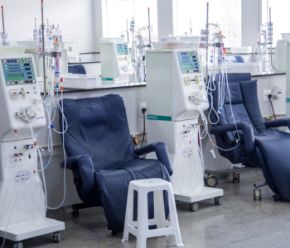
A procurement-only guide for outpatient dialysis facilities: recurring disposable categories, standardizing the item list, par and case-count planning, UOM normalizing, and backorder readiness.
How buyers compare disposable isolation gowns: FDA gown types, AAMI PB70 levels 1-4, material and gsm, cuffs, closures, sizing, lab coats, and normalizing case counts.
A buyer's guide to disposable underpads: sizes by area, PE-backed vs breathable listings, count per bag and case math, how to question absorbency wording, and cost per pad and per area.
How to source disposable dry wipes and washcloths: dry vs premoistened, basis weight (gsm), sheet size and count, cost per sheet math, storage, and the specification documents to request from suppliers.
A field-by-field RFQ checklist for prefilled saline flush syringes: fill volume vs syringe size, MPN vs SKU, pack math, shelf life, lots and substitution rules, with listed ECSI pack configurations.
Compare nitrile glove quotes on cost per glove, not per box or case. Includes illustrative math, a real 100 vs. 90 count-per-box example from ECSI listings, a worksheet table and notes on minimums and freight.
Compare nitrile, latex and vinyl exam gloves as a purchasing decision: ASTM standard for each material, latex status as an item attribute, powder-free baseline, documentation and when facilities standardize.
How healthcare buyers separate exam-grade nitrile gloves from industrial or non-medical nitrile: FDA framework, labeling, 510(k) and ASTM D6319 documentation, a comparison table and supplier questions.
Prefilled saline flush syringes may look interchangeable on a quote, but concentration, fill volume, syringe capacity, labeling, packaging and manufacturer specifications all matter. This guide explains what institutional buyers should verify before ordering.
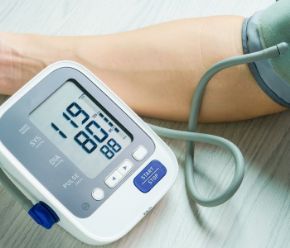
Explore how home blood pressure monitors support remote patient monitoring, chronic disease management, and healthcare programs across hospitals, dialysis organizations, long-term care facilities, government agencies, and home healthcare providers.






























 213-743-1401